

Serial number tracking software for phones, laptops and consoles
Parts by quantity. Devices one unit at a time. SlickCell is serial number tracking software for shops that repair and sell electronics: a phone by its IMEI, a laptop, tablet, games console or smartwatch by its serial number, each with its own cost, condition and history from the day it arrives to the day it sells or comes back.
Where the count goes wrong
Not carelessness. Just what happens when four different devices share one line called “iPhone 13”.
Four of the same model on the shelf, bought at four different prices, counted as one line.
Three of the same laptop model, bought at three different prices, counted as one line.
The right device is sold, but nobody can say which one left or what it cost you.
A part is used on a repair and the count is corrected at the weekend, if anyone remembers.
A trade-in goes on the shelf without a cost, so the margin on it is a guess.
The system says three, the drawer says one, and neither has a history to check.
A device comes back from a refund and rejoins stock without anyone recording why.
How serial number tracking works in SlickCell
One model is a group. Each physical device inside it is its own record, with its own IMEI or serial number. The quantity is what falls out of that, not something anyone types.
- 01Product groupThe model, iPhone 13 128GB, as a heading, not a count.
- 02UnitsOne record per device, with its own IMEI or serial number.
- 03Own specsStorage, colour, condition and battery per unit.
- 04Own moneyCost and selling price held on the unit itself.
- 05MovementsReceived, reserved, sold or returned: each recorded.
- 06Derived quantityAvailable stock is counted from the units.
Because quantity is derived rather than typed, there is no way for the number to drift away from the things it is supposed to be counting.
One model, and the devices inside it
Real markup, not a screenshot: the figures below are checkable against each other.

Three devices, three costs, one model
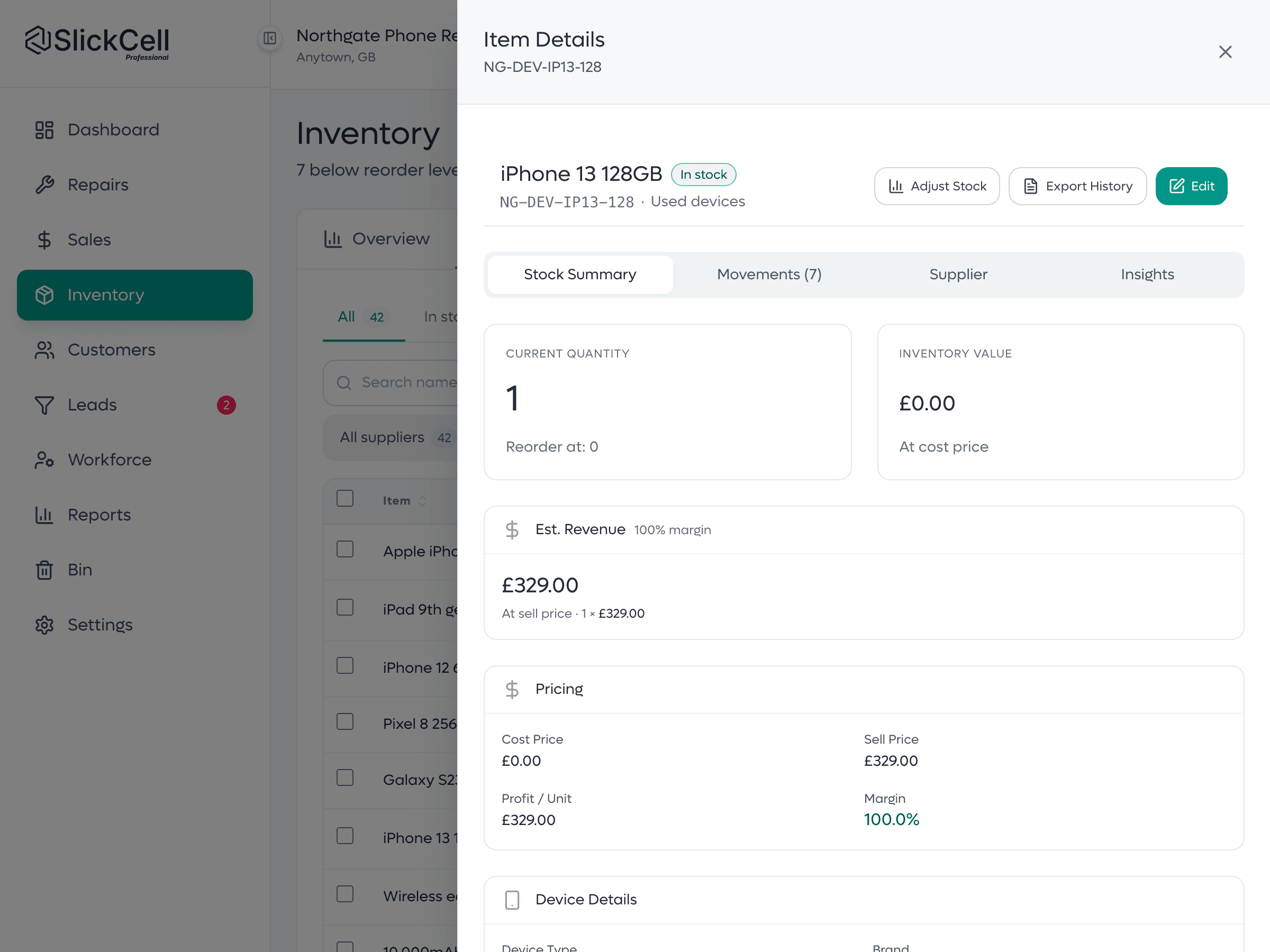
Each unit carries its own identifier, condition, battery health, cost and selling price, and the sold one carries the invoice it left on. The available stock value underneath is the sum of the units still on the shelf, so you can check the total against the rows that produced it.
Quantity is derived from units, never typed.
Serialised inventory for repair and retail shops
The same device record follows the unit through everything the shop does with it.
- Scanned at the till
- Scan or type an IMEI or serial number at the till and that exact unit goes on the sale, at its own price, and leaves stock against the invoice.How the till works
- Searched in stock
- The inventory search box finds one device by its IMEI or serial number, with its cost, condition and every movement since it arrived.Add a device unit
- Bought in as a trade-in
- A device taken in from a customer enters stock as its own unit, with the price you actually paid as its cost.Trade-ins and buyback
- Sold second-hand
- Used and refurbished devices keep their own purchase cost, so the margin on each one is known when it sells.Used and refurbished devices
- Returned
- A device that comes back gets the outcome someone chooses at the refund: back to stock as new or used, or held in Faulty Items to be inspected. The return is on its history.
Traceable from purchase to sale to return
Each unit's history answers the three questions that matter: which one, what it cost, and where it went. The operational win is knowing what is there; the financial win is knowing what it cost.
- Real cost per device
- Margin is calculated against what that unit actually cost, not an average.
- The right one sold
- You know which physical device left the shop, and against which sale.
- Counts that hold
- Quantity is derived from units, so it cannot drift from what is on the shelf.
- A movement history
- Every arrival, reservation, sale and return is recorded with who and when.
- Defensible valuation
- Stock value is the sum of real unit costs you can open up and check.
Move your serial numbers in from a spreadsheet
These are the rules the import actually follows. Nothing here is aspirational.
- Three separate imports
- Parts, accessories and devices come in as three separate imports, because they are three different kinds of thing with three different shapes.
- Quantity for parts, references for devices
- Parts and accessories are imported with a quantity. Device quantity is derived from the unit references you supply, not entered as a number.
- One unit per reference
- Each device unit corresponds to one IMEI, serial number or shop reference. Two units cannot share one reference.
- The reference can be partial
- A full IMEI, a serial number, the last four or five digits, or an internal shop reference are all accepted, stored as free text, with no format or checksum rule to fight.
- Prices in pounds
- Costs and selling prices are entered in pounds, the way they appear on your supplier's invoice.
- Suppliers by ID
- A supplier is selected by its supplier ID, so the same name spelled three ways does not become three suppliers.
- Preview before commit
- You see what the import will do before anything is written. Nothing lands in your stock on the strength of a file you have not looked at.
- Warnings and errors are separate
- Rows that cannot be imported and rows that merely look odd are shown apart, so a genuine problem is not buried among things that are simply unusual.
- Update mode is explicit
- Whether the import updates existing stock is a choice you make deliberately, not a default that quietly overwrites what is already there.
- No barcode required
- The approved import format does not require a barcode, so a spreadsheet from an older system is enough to get started.
What the stock module carries
Unit-level devices
Each device is its own record with an IMEI, serial or shop reference as free text.
Quantity for consumables
Parts and accessories counted the sensible way, by quantity on the shelf.
Specs per unit
Storage, colour, condition and battery health held on the individual device.
Cost and price per unit
What that device cost you and what it sells for, not a blended average.
Movement history
Arrivals, reservations, sales and returns recorded with who did what, and when.
Import with a preview
Bring stock in from a spreadsheet and see exactly what it will do first.
Serial number tracking: questions shops ask
Starting with the one everyone asks about unit tracking.
It is one extra field when a device arrives, and it removes the work of reconciling a count that drifted. You are already tracking these devices: on a whiteboard, in a notebook, or in your head. This just puts them where the money is.
Yes. Every device is its own record with its own IMEI or serial number, cost, condition, selling price and history. A phone is usually tracked by IMEI; a laptop, console, tablet or smartwatch by its serial number. Both are free text, so a partial or unusual reference from older stock is accepted.
Give each device its own record when it arrives, with its serial or IMEI, cost and condition, and let the system count the units. In SlickCell the number is free text, so a full serial, the last digits or your own sticker reference are all accepted, and duplicates are flagged for someone to resolve.
No, and you should not. Parts and accessories are counted by quantity, which is the right shape for a box of screen protectors. Only devices are tracked as individual units, because only devices have their own cost, condition and history.
It is derived rather than typed. Available stock is counted from the unit records themselves, so there is no separate number to fall out of step with the shelf and no way to correct one without the other.
Yes. Parts, accessories and devices import separately, prices are entered in pounds and suppliers are selected by supplier ID. You preview what the import will do before anything is written, with warnings and errors shown separately.
It does not rejoin sellable stock on its own. At the refund someone chooses where it goes: back to stock as new or as used, to Faulty Items to be inspected first, or back to the supplier.
See device-unit stock on your own shelf
Bring a model you hold several of at different costs, and we will show you what unit-level tracking does to the count and to the margin.