

Multi store POS for repair and electronics shops
Three shops, one set of numbers, without merging the stock. SlickCell is multi store POS for shops that repair and sell electronics: each branch keeps its own till, its own stock tracked by IMEI or serial, its own staff and its own takings, and still rolls up into one view an owner can read.
Where a second shop breaks the system
Most shop software is built for one location and grows a branch field later.
Each branch runs its own copy, and the group total is a spreadsheet someone builds on Sundays.
Stock shows as available when it is available at the other shop, forty minutes away.
A staff member covering another branch has to borrow someone's login.
Takings are compared between branches by exporting two reports and lining them up by hand.
One shop closes and unpicking its records takes a fortnight.
Nobody can see how the group is doing without asking each manager.
How multi store POS works in SlickCell
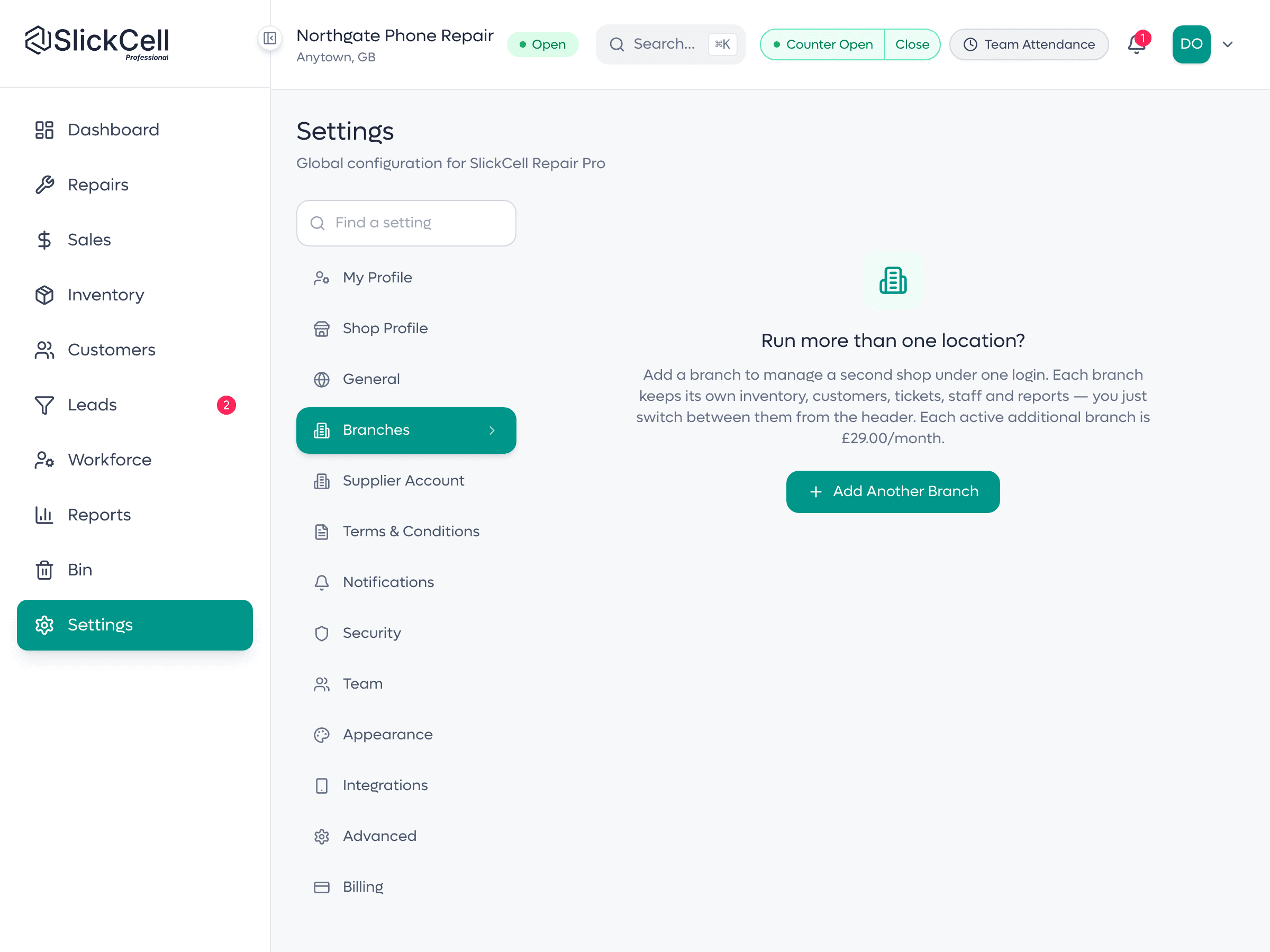
Each branch is a shop in its own right. The group is what sits above them.
- 01A branch is a shopIts own stock, staff, tickets, takings and settings.
- 02Grouped by ownerBranches belong to one organisation you control.
- 03People, not loginsA person can belong to several shops under one account.
- 04Pick a shopYou choose which branch you are working in when you sign in.
- 05Read one, or read allEvery report filters to a branch or covers the group.
- 06Close one downArchiving checks what the branch still owes before it goes.
Because a branch is a shop rather than a filter on shared rows, one branch's stock genuinely is not another's, and the group view is a roll-up rather than a rule that has to be remembered everywhere.
One dashboard for every branch
Two different jobs, from the same records.

The group, without leaving the dashboard
Switch the dashboard to all branches and the KPIs cover the group. Reports carry a branch filter throughout, so 'how did we do' and 'how did the High Road do' are the same screen with a different setting: not two different exports.
Every report filters to one branch or reads the whole group.
Archiving asks what is still outstanding first
Before a branch can be archived, the server checks what it still holds (open jobs, unsettled money, stock, staff) and hands back the list, grouped, with a route to each one. Closing a shop becomes a checklist rather than a discovery process.
The preflight is a server check, so it sees everything the branch still owes.
Multi location repair shop software, without shared stock
- Stock stays where it is
- Each branch's stock is its own, so availability means available here.
- One person, several shops
- Staff who cover more than one branch use their own account in each.
- Group numbers on demand
- The roll-up is a setting on the reports you already read, not a separate exercise.
- Closing down is controlled
- A branch cannot be quietly archived while it still holds open work or unsettled money.
Multiple locations start on Professional at £59 a month excluding VAT, and each extra branch is £39 a month. Every feature is on every plan.
The ones that decide whether multi-site works
- A customer bought at one branch and comes back to another
- Each shop keeps its own records, so the branch that served them holds the history. Plan for this when you decide how to split shops.
- A manager covers two branches
- They hold membership of both under one account, and choose which they are working in at sign-in.
- The group needs one view for the accountant
- Reports read across the whole organisation, so the accountant does not need a login per shop.
- A branch still has open repairs when you want to close it
- The archive preflight lists them, grouped, with a route to each. It will not archive around them.
- Branch limits on the plan
- How many branches a plan allows is enforced server-side, so it cannot be exceeded by accident.
- One branch prices differently to another
- Settings are per shop, so pricing and tax rules do not have to be identical across the group.
What multi store POS carries
A branch is a real shop
Its own stock, staff, takings and settings: not a column on shared rows.
Branch switcher
Move between the shops you belong to without signing out.
All-branches view
Dashboard KPIs and reports across the whole group, or filtered to one.
One person, several shops
Membership is per shop, so staff who cover branches keep their own account.
Guarded archiving
A server preflight lists what a branch still owes before it can be closed.
Limits enforced server-side
Branch and team limits hold in the database, not just in the interface.
Multi store POS: what owners ask
Really separate. A branch is a shop in its own right, grouped with your others by ownership, the same isolation that separates two unrelated businesses. That is why one branch's stock is genuinely not another's, rather than being a rule the software has to remember to apply everywhere.
Yes. The dashboard has an all-branches view, and every report carries a branch filter, so the group total and a single shop's numbers come from the same screen.
Yes, from one login, on the Professional plan and above. Each branch keeps its own stock and its own staff, the owner adds branches from the main shop, and every branch can be read together on one dashboard and in the reports. Each extra branch is £39 a month, excluding VAT.
Archiving runs a server-side check first and hands back everything the branch still holds (open jobs, unsettled money, stock, staff) grouped, with a route to each. You clear them, then archive.
Keep each branch's stock, staff, repairs and takings separate, and still show the owner the whole group. In SlickCell every branch is its own shop with its own till and device stock by IMEI or serial, and the dashboard and reports read one branch or all of them.
Each shop keeps its own customers, stock and purchasing, so every branch runs cleanly on its own figures, while group reports read across the whole organisation for you and your accountant.
Bring two branches and one awkward question
We will set them up as a group, show the roll-up, and answer the thing you are most worried about breaking.